


5-Minute Clinical Consult
4.644.00 Reviews
App Specs
- Version
- 2.8.52
- Updated On
- License
- Free
- Downloads
- 50,000+
- Developer
- Unbound Medicine, Inc
- Categories
- Medical
- Platform
- Android
Screenshots
 Analysis by AppCompare
I think the best way to judge a clinical reference is to follow a real question from the moment it comes up to the point where you need to act on the answer. A colleague asks about a condition, a student is unsure what to read next, or I want a quick refresher before discussing a case. That is the sort of moment 5-Minute Clinical Consult is meant to serve: a focused medical reference for getting oriented quickly, rather than a replacement for clinical judgement or a full research session.
It is a free medical app from Unbound Medicine, Inc, with optional in-app purchases ranging from $0.99 to $99.99 per item. The app has a 4.6 average from over 500 ratings, and more than 50,000 installs. It is rated for Everyone, but the clinical material is naturally most useful to people with medical training or a clear educational purpose. Its current version is 2.8.47, and it requires Android 9 or later.
When a quick reference is the right starting point
I would reach for this app when I know the broad topic but need a compact refresher: what a condition involves, how it is approached, or which parts of the subject deserve a closer look. That is different from searching the open web, where a fast query can bring up a mix of patient pages, old material, and sources written for very different audiences. A clinical reference gives the question a more organized starting place.
For example, imagine I am reviewing a familiar topic before a teaching conversation and cannot remember the usual structure of the discussion. I can look up the condition, scan the relevant sections, and use that outline to shape my next question or reading. The useful outcome is not that the app makes a decision for me; it helps me arrive at the right follow-up questions with less hunting around.
First Impressions and User Experience
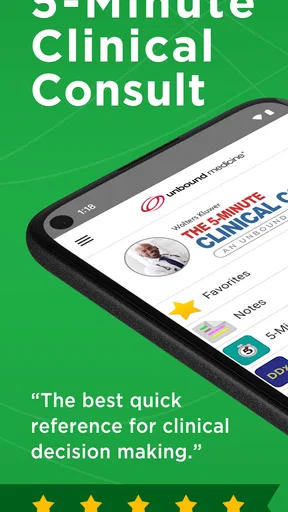
When I first opened the 5-Minute Clinical Consult app, I was greeted by a clean and straightforward interface. No clutter, no unnecessary frills—just what you need to find the information fast. The main screen has a search bar right at the top, which is super handy. You can either type in what you’re looking for or browse through categories if you're in the mood to explore.
One thing I really appreciated is how responsive it is. I’ve used a fair number of medical apps, and some can be a bit sluggish, especially when you’re trying to pull up information quickly. But this app? It’s snappy. You tap, and boom, the info is right there. Perfect for those moments when you need answers in, well, five minutes or less.
Content and Features
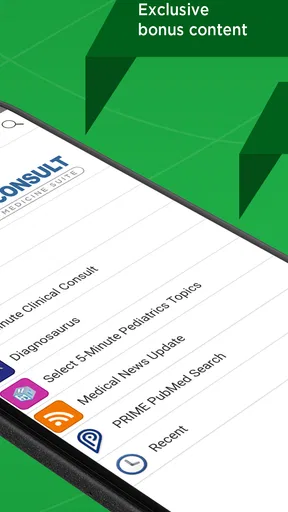
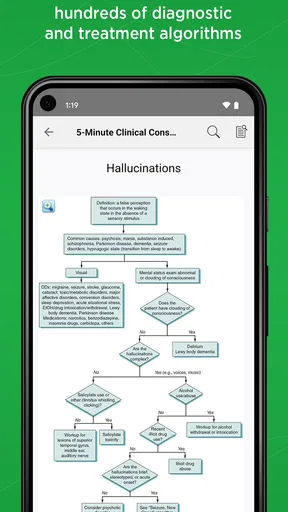
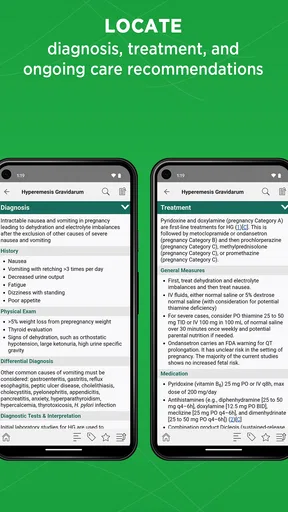
The heart of this app is its content. With over 900 medical conditions covered, you’re likely to find what you need. Each condition comes with a detailed overview, including sections on etiology, diagnosis, treatment, and follow-up. It’s like having a mini-consultation with a specialist.
Worth Reading Before You Choose

EA SPORTS FC Mobile 26 Is a Bigger Football Game, but It Takes Time

Flipboard Shows What News Apps Must Do Beyond the Feed

Switching to Android Auto Means Rethinking Your Driving Routine

Google Calendar Makes a Crowded Week Easier to Manage

Ludo King Makes the Most of the Minutes Between Plans

Baby Panda World Brings Quick Play to Modern Phones, but Its Game Library Feels Busy
What’s cool is that they’ve managed to pack all this information into a format that’s easy to read and digest. You won’t be overwhelmed by walls of text. Instead, you get bullet points and short paragraphs that give you the essentials without the fluff.
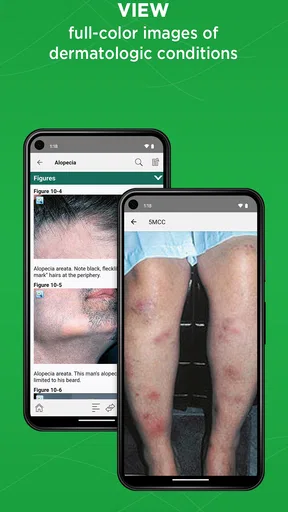
Another feature worth mentioning is the integration of images and videos. Sometimes a picture is worth a thousand words, especially in the medical field. These visuals are a great help when you need to understand a condition better or when you’re dealing with something unfamiliar.
Turning a lookup into a useful handoff
The most useful way I see a reference like this fitting into a clinical routine is as a bridge between a question and a more careful next step. I might use a condition page to remind myself of the topic’s basic structure, then take the specific uncertainty—rather than a vague impression—into a conversation with a supervisor or colleague. That makes the handoff more productive: “I checked the overview; can we focus on this part?” is a better starting point than treating a quick search as the whole answer.
For students, the same approach can turn a lookup into active study. I would read the short sections once, close the app, and try to explain the key points from memory. Then I would reopen the page to see what I missed. The concise format lends itself to that kind of recall practice, though it should sit alongside course materials and formal teaching rather than replace them.
There is also a practical distinction between using a reference to prepare and using it during a live decision. A quick overview can help me organize my thinking, but a real patient’s situation may depend on details that a summary cannot capture. I would treat the app as a prompt for verification and discussion, not as authority to act independently—especially when the question is urgent, unusual, or outside my experience.
Navigation and Ease of Use
Navigating through the app is as smooth as silk. The developers really thought about user experience. You can bookmark pages, which is a lifesaver when you need to refer back to something repeatedly. The search function is also top-notch, and the app’s predictive text feature makes finding conditions a breeze. You type a few letters, and it starts suggesting terms, saving you time and effort.
One of my favorite things? The app works offline. So, if you’re in a hospital with spotty Wi-Fi or out in the field, you can still access all the content without a hitch. This aspect alone makes it indispensable for many users.
Making the offline workflow dependable
Offline access is most valuable when I prepare before leaving a reliable connection, rather than discovering the limitation at the moment I need a page. I would open the topics I expect to revisit and make sure the material is available on the device. That small habit helps turn offline access into a genuine backup instead of an assumption. It is also sensible to keep another approved route to current clinical guidance available for questions where recency matters.
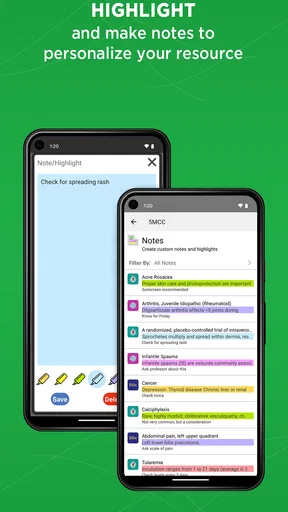
Bookmarks have a similar advantage when used deliberately. Rather than saving every page, I would keep a short set of topics tied to a rotation, a teaching session, or recurring study questions. A focused collection is easier to scan under pressure than a long, unfiltered list. Search is better for a new topic; bookmarks are better for returning to a known one.
That difference also explains why I would not use the app as my only medical resource. Its quick, condition-centered format helps with orientation, while a guideline, primary source, or local protocol may be the better next stop when I need a current recommendation or a rule specific to a workplace. The app helps narrow the reading; it does not remove the need to judge which source fits the question.
Who is This App For?
In short, anyone in the medical profession or studying medicine will find this app invaluable. It’s especially helpful for those in fast-paced environments where quick access to reliable medical information is crucial. But even if you’re just someone curious about medical conditions, it’s a great tool to have on hand.
It’s also a fantastic aid for teaching purposes. Whether you’re a professor looking to supplement your lectures or a student needing to reinforce your learning, the app provides a wealth of information that’s both reliable and easy to understand.
Who should choose another kind of resource
I would be more cautious about recommending it to someone looking for personal diagnosis or reassurance about a new symptom. A concise professional reference is not designed to assess an individual’s full history, examine them, or decide when they need urgent care. For that situation, a qualified clinician or an appropriate health service is a safer choice than trying to match a symptom to a condition page.
It may also be the wrong fit for readers who want a broad, highly visual patient-education experience, or for clinicians who need a dedicated tool for local protocols, drug decisions, or live evidence updates. Those needs call for resources built specifically around them. The advantage here is the compact condition-focused consultation style; the trade-off is that no single quick reference can cover every depth, workflow, and audience equally well.
The app is free to install, but the in-app purchase range means I would check what content or access is included before relying on a paid feature. The store summary points to a 2026 edition with bonus features, which makes it worth reviewing the current in-app options if edition-specific material matters to you. I would not assume that every feature or section is included at no cost.
Final Thoughts
Overall, the 5-Minute Clinical Consult app is a solid choice for anyone who needs quick and dependable medical information on the go. Its user-friendly interface, comprehensive content, and offline capability make it a standout in the field.
If you’re considering downloading it, I’d say go for it. It’s like having a medical library at your fingertips, minus the bulk and weight. And trust me, once you start using it, you’ll wonder how you ever managed without it.
So, what are you waiting for? Give it a try and see for yourself how it can make your medical practice or learning journey a whole lot easier!
My practical recommendation
I would choose this app when speed and structure matter more than exhaustive depth: a student preparing for discussion, a clinician refreshing a familiar topic, or a teacher looking for a concise starting point. I would pair it with a trusted, current source whenever the decision depends on detailed evidence, patient-specific factors, or local practice. Used that way, it has a clear role without asking it to do more than a pocket reference should.
Before depending on it for a busy day, I would check that the version suits my device, explore which content is available without payment, and set up a few useful bookmarks. Those are modest steps, but they clarify the practical limits early. If that workflow matches what you need, 5-Minute Clinical Consult is a convenient companion for learning and quick orientation—not a shortcut around clinical judgement.
Pros
- Comprehensive medical reference tool.
- Quick access to over 900 medical conditions.
- User-friendly interface for easy navigation.
- Regular updates with the latest medical info.
- Offline access for use without internet.
Cons
- Requires a subscription for full content.
- Large app size may affect storage space.
- Not all features available offline.
- Occasional slow loading times.
- Limited multimedia content for learning.
FAQs for 5-Minute Clinical Consult
What is the purpose of the 5-Minute Clinical Consult app?
The 5-Minute Clinical Consult app is designed to provide healthcare professionals with quick access to essential clinical information. It covers a wide range of medical conditions, offering concise summaries, treatment options, and diagnostic guidelines to assist in making informed decisions swiftly.
Is the 5-Minute Clinical Consult app suitable for all medical professionals?
Yes, the app is intended for a broad range of healthcare professionals, including doctors, nurses, and medical students. Its comprehensive database and easy-to-navigate interface make it valuable for anyone needing quick access to clinical information in various medical fields.
Does the app require an internet connection to function?
While some features may require an internet connection, the 5-Minute Clinical Consult app is primarily designed for offline use. Once downloaded, the majority of its content is accessible without internet, ensuring that users can rely on it even in locations with poor connectivity.
How frequently is the content within the app updated?
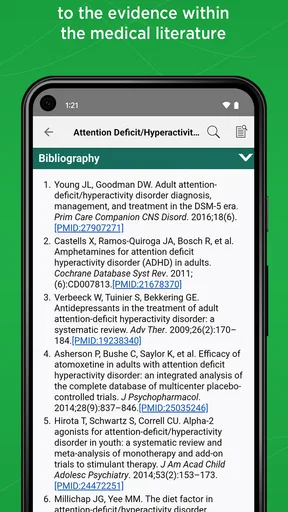
The app receives regular updates to ensure the information remains current and accurate. Users can expect updates to include new medical guidelines, treatment protocols, and the latest research findings, keeping them informed about the latest developments in clinical practice.
Is there a cost associated with downloading and using the 5-Minute Clinical Consult app?
The 5-Minute Clinical Consult app typically requires a subscription, which may vary in price based on the length and type of access chosen. Some versions might offer a free trial period, allowing users to evaluate the app's features before committing to a subscription.


